


TL;DR: The traditional developer portfolio — a personal website showcasing CRUD apps and weather dashboards — is functionally dead. AI can generate those projects in minutes, which means they prove nothing. What hiring managers actually want to see in 2026 is what I'm calling an AIfolio: 3–5 deployed projects demonstrating you can build RAG pipelines, orchestrate multi-agent systems, wire up tool (MCP) integrations, and add persistent memory with tools like Mem0. But the projects are only half the story. After speaking with founders and hiring leaders at companies like Formlabs, Runway Labs, Polymarket, and WithCoverage, the pattern is clear: they're looking for a learning mindset, a point of view on AI, human taste in how you apply it, and evidence that you can show impact from day one — or even before you're hired. Build your AIfolio with that in mind. Here's exactly how.
The Old Portfolio Is Dead. AI Killed It.
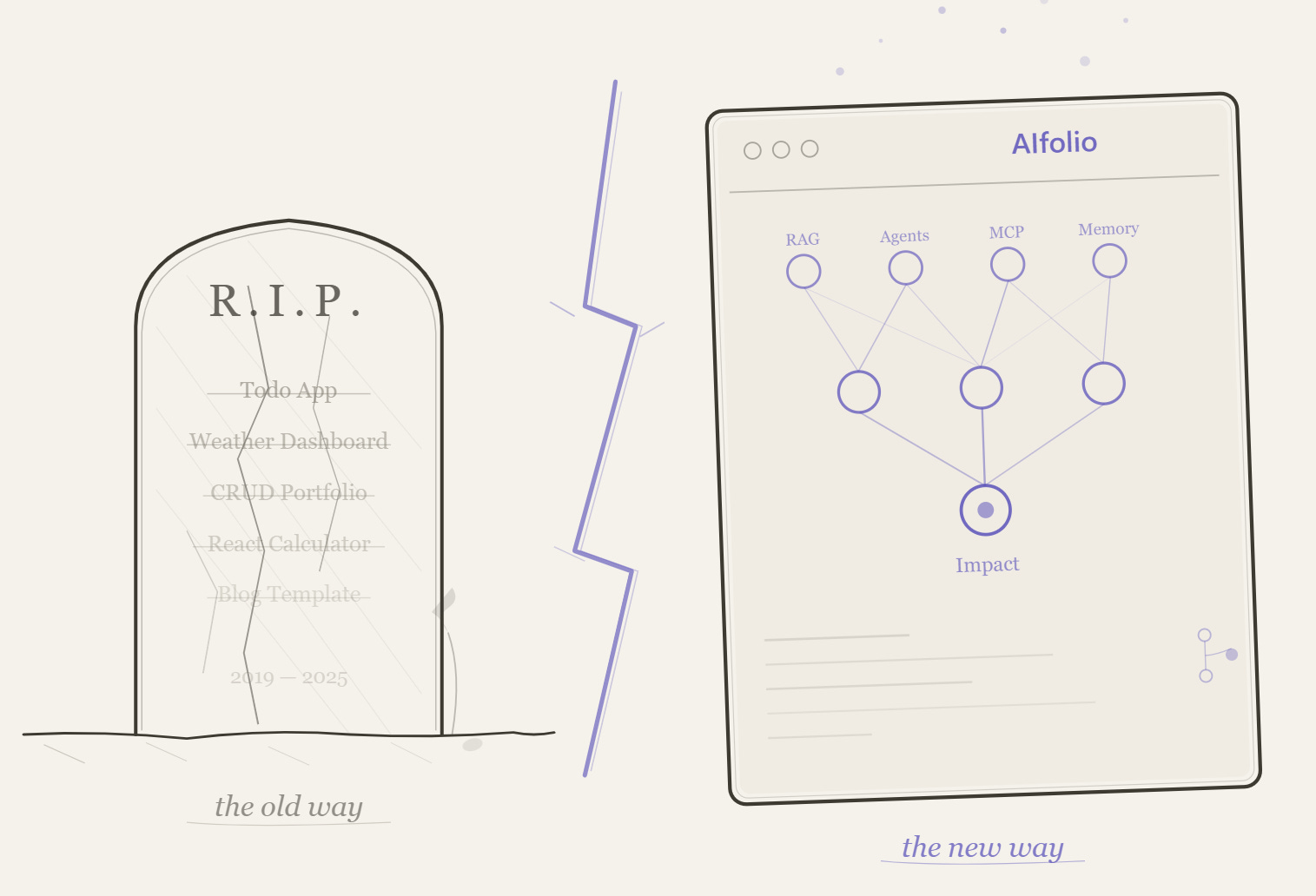
Here’s a thought experiment. You’re a hiring manager. Two candidates land on your desk. Candidate A has a polished portfolio website with a weather app, a to-do list, and a React dashboard. Candidate B has a GitHub repo with a RAG pipeline that answers questions over legal documents, a multi-agent system that automates research workflows, and a custom MCP server that connects a Github Copilot/Claude to a proprietary database.
Who gets the interview?
It’s not even close anymore. And the data backs it up.
LinkedIn’s data shows AI Engineer is now one of the fastest-growing job titles on the platform, with 143% year-over-year growth. US roles requiring AI literacy saw a 70% increase in the same period. Meanwhile, one recruiting firm reported that junior full-stack developer demand dropped 42% year-over-year — one client cut junior headcount from eight to three after adopting GitHub Copilot.
The math is brutal: if Copilot can scaffold a portfolio-quality CRUD app in ninety seconds, showing one on your portfolio signals nothing except that you completed a tutorial.
Greg Fuller, VP at Skillsoft/Codecademy, told The New Stack bluntly: his expectation now is that candidates are using AI to generate their projects. If you’re not building with AI, you’re not building with a modern mindset. Some companies have replaced traditional coding interviews with “vibe coding” sessions — building live with AI tools.
Martin Fowler, citing the 2025 DORA report, put it even more sharply: the specialist front-end and back-end developer roles are getting absorbed. The 80% of developers now using AI tools (per the Stack Overflow 2025 Developer Survey) aren’t going back. And GitHub reports that 80% of new developers used Copilot within their first week on the platform.
The portfolio website isn’t just outdated. It’s been automated out of relevance. What replaces it is something fundamentally different.
Enter the AIfolio
I’m calling the replacement an AIfolio — a portfolio built entirely around AI-native projects that demonstrate the skills companies are actually hiring for in 2026.
An AIfolio isn’t a website redesign. It’s a paradigm shift in what “portfolio” means. Instead of showcasing that you can wire up a frontend to a REST API (congratulations, so can a prompt), an AIfolio proves you can:
Architect systems that think. Multi-agent workflows where specialized AI agents collaborate, delegate, and handle errors.
Build retrieval pipelines that ground AI in reality. RAG systems that don’t hallucinate because they’re pulling from real, indexed documents.
Wire AI into the real world. MCP servers(or a cli tool) that connect language models to databases, APIs, and tools.
Give AI a memory. Persistent context layers so your applications remember users across sessions — not just within a single conversation.
The key distinction: a traditional portfolio showed you could code. An AIfolio shows you can think architecturally about AI systems and ship them.
Let’s break down exactly what goes into one.
The Four Pillars of a Strong AIfolio
Pillar 1: A RAG Pipeline (The Table Stakes Project)
If you build only one AI project, make it a RAG pipeline. This is the most consistently cited “must-have” across every hiring guide, recruiter survey, and dev community discussion I’ve found.
Think of RAG like building a research assistant. Your system ingests real documents — technical docs, legal texts, medical literature, not toy datasets — chunks them, generates embeddings, stores them in a vector database, and retrieves the right context to ground LLM responses. The result: an AI that answers questions accurately because it’s citing your documents, not hallucinating.
What this proves to a hiring manager: You understand data engineering, embedding strategies, chunking decisions, retrieval quality, and LLM integration. These are the exact skills AI engineering teams hire for.
The tech stack: Use LangChain or LlamaIndex or Microsoft Agent Framework for orchestration. Start with Chroma as your vector database — it’s the SQLite of the vector world, running embedded with zero configuration. Graduate to Qdrant (open-source, Rust-based, exceptional performance) or Pinecone (fully managed, free serverless tier) or a cloud vector search option when you’re ready for production-grade work.
The repo to study: NirDiamant/RAG_Techniques (~26K stars) — 30+ advanced RAG technique implementations in Jupyter notebooks. This is the single best structured learning resource for RAG patterns. Start here before building your own.
Then level up with: HKUDS/LightRAG (~30K stars) — A graph-based RAG framework from HKU that builds knowledge graphs from your documents, enabling retrieval that understands relationships between entities, not just similarity. Published at EMNLP 2025 and one of the fastest-growing RAG projects on GitHub. Building a LightRAG pipeline over a real corpus (legal documents, research papers, company wikis) is the kind of project that makes interviewers lean forward.
For a real-world reference application: infiniflow/ragflow (~73K stars) — A production-grade RAG engine with deep document understanding, intelligent chunking, and traceable citations. Study its architecture to understand what “production RAG” actually looks like versus a toy demo.
Pillar 2: A Multi-Agent System (The Differentiator)
This is where you separate yourself from the herd. Multi-agent systems are the frontier of AI engineering — and they’re surprisingly approachable for newer developers.
The concept: instead of one monolithic AI that does everything, you design specialized agents that collaborate. A Researcher agent gathers information. An Analyst agent synthesizes findings. A Writer agent produces output. A Reviewer agent checks quality. Each agent has its own role, tools, and instructions, and they coordinate to accomplish complex tasks no single agent could handle well.
This mirrors how real engineering teams work — which is exactly why it resonates with hiring managers. You’re not just writing code; you’re designing systems of intelligence.
Choosing your agent framework — there are around five serious options in 2026, each with a different sweet spot:
LangChain (~125K GitHub stars) is the foundational layer. It’s not strictly a multi-agent framework — it’s the Swiss Army knife for building any LLM-powered application, with modular components for chains, retrieval, memory, tool use, and agents. Almost every other agent framework either builds on top of LangChain or competes with it. If you learn one thing in the AI stack, learn LangChain. The ecosystem is massive, the documentation is the most comprehensive, and most job postings that mention AI engineering reference it explicitly.
LangGraph extends LangChain into stateful, graph-based agent orchestration. While LangChain gives you building blocks, LangGraph gives you control flow — you define agents as nodes in a graph with explicit edges, conditional routing, and checkpointing. This is what you reach for when you need fine-grained control over how agents hand off work, when to involve a human in the loop, and how to recover from failures. LangGraph is the production-grade choice for teams that need deterministic orchestration, not just “let the LLM figure it out.”
CrewAI (~44.5K stars) is the fastest path from zero to a working multi-agent system. Its role-based API is intuitive: you define agents as Researcher, Writer, Analyst — configure their tools and collaboration patterns — and let them work together. CrewAI handles the orchestration complexity so you can focus on designing the roles and workflows, not the plumbing. For a portfolio project, CrewAI gets you to a demo faster than anything else.
Microsoft Agent Framework (MAF) is the newest entrant, reaching Release Candidate in February 2026. It’s the direct successor to both AutoGen and Semantic Kernel, combining AutoGen’s simple agent abstractions with Semantic Kernel’s enterprise features — session-based state management, OpenTelemetry observability, middleware, and multi-provider support (Azure OpenAI, OpenAI, Anthropic Claude, AWS Bedrock, Ollama). MAF supports five orchestration patterns out of the box: sequential, concurrent, group chat, handoff, and magnetic orchestration. It works with Python and .NET, supports MCP and A2A interoperability standards, and is cloud-agnostic. If you’re targeting enterprise environments or want to demonstrate .NET + AI skills, MAF is a differentiating pick.
n8n (~181K GitHub stars) takes a completely different angle — it’s a visual, low-code workflow automation platform with native AI agent capabilities built on LangChain under the hood. You build agent workflows by connecting nodes on a visual canvas: AI Agent nodes, LLM nodes (OpenAI, Anthropic, Ollama, Gemini), memory nodes, vector store nodes (Pinecone, Qdrant, Chroma, Supabase), and 500+ app integrations. The result: you can build an AI agent that receives a customer support ticket, searches your knowledge base via RAG, drafts a response, and escalates to a human — all without writing backend infrastructure. n8n is open-source and self-hostable. For a portfolio, building an n8n-powered agent workflow shows you understand practical AI automation — connecting AI to real business systems, not just running in a Jupyter notebook.
The practical recommendation for newer developers: Start with CrewAI for your first multi-agent project (fastest to learn, most impressive demos). Then build a second project with LangChain + LangGraph to show you understand the underlying mechanics and production patterns. Add n8n if you want to demonstrate AI-powered workflow automation. Reference MAF if you’re targeting Microsoft/enterprise shops. Learn LangChain regardless — it’s the lingua franca.
Where to start learning: microsoft/ai-agents-for-beginners is a 12-lesson, project-based course from Microsoft that covers agent fundamentals end-to-end — from what agents actually are, through tool-calling and Agentic RAG, to multi-agent orchestration. Each lesson includes runnable Jupyter notebooks and code samples. If you’ve never built an agent before, start here before touching a framework.
The repos to study and build from:
Azure/GPT-RAG: GPT-RAG core is a Retrieval-Augmented Generation pattern running in Azure, using Azure AI Search for retrieval and Azure OpenAI large language models to power ChatGPT-style and Q&A experiences.
crewAIInc/crewAI (~44.5K stars) — The framework itself, with extensive documentation and examples.
crewAIInc/crewAI-examples — Practical examples showing how to build research teams, content pipelines, and analysis workflows. Fork one of these, customize it for your domain, and you have a portfolio project.
assafelovic/gpt-researcher (~28K stars) — An autonomous deep research agent that plans queries, dispatches crawler agents in parallel, and synthesizes findings into cited reports. This is a masterclass in planner-executor agent architecture. Study how it coordinates its agents, then build your own domain-specific research assistant.
FoundationAgents/MetaGPT (~57.5K stars) — A multi-agent system that simulates an entire software company (PM, Architect, Engineer roles). Peer-reviewed at ICLR. Study this for inspiration on how agent roles can mirror real organizational structures.
Pillar 3: An MCP Integration (The Cutting-Edge Signal)
If multi-agent systems are the differentiator, MCP is the signal that you’re paying attention to where the industry is heading right now.
Model Context Protocol (MCP), introduced by Anthropic in late 2024, is rapidly becoming the standard for how AI systems connect to external tools and data sources. Think of it like USB for AI — a universal protocol that lets any AI model plug into any tool, database, or API through a standardized interface. OpenAI, Google, GitHub, Salesforce, and Notion have all adopted it.
Building a custom MCP server — wrapping a database, an internal API, or a domain-specific tool so that AI assistants can interact with it — demonstrates you understand the infrastructure layer of AI. Most developers are still just calling APIs; you’re building the connective tissue.
The repos to study:
modelcontextprotocol/python-sdk (~22K stars) — The official Python SDK. FastMCP lets you build a working MCP server in under 20 lines of code. This is your starting point.
modelcontextprotocol/servers (~76K stars) — Anthropic’s official reference implementations: filesystem, git, memory, fetch servers. Study these as canonical examples.
punkpeye/awesome-mcp-servers (~84K stars) — A massive directory of community MCP servers. Browse this for project ideas — then build something that doesn’t exist yet.
github/github-mcp-server (~26.9K stars) — GitHub’s official MCP server in Go. Production-grade example of a real API integration.
Pillar 4: Memory — The Missing Layer Most Developers Ignore
Here’s an uncomfortable truth about most AI projects in developer portfolios: they’re stateless. Every conversation starts from zero. The AI has no idea who you are, what you discussed yesterday, or what you prefer.
That’s not how useful AI works. And building a project with persistent memory is one of the fastest ways to signal production-level thinking.
This is where Mem0 comes in.
Mem0 (pronounced “mem-zero”) is an open-source memory layer for AI applications that solves the statelessness problem. Instead of dumping entire conversation histories into the context window (expensive, slow, and increasingly irrelevant), Mem0 intelligently extracts salient facts from conversations, stores them in a hybrid data store combining vector search, graph relationships, and key-value storage, and retrieves only the most relevant memories at query time.
The numbers are striking. On the LOCOMO benchmark, Mem0 achieved 26% higher accuracy than OpenAI’s built-in memory, 91% lower latency than full-context approaches, and 90% token cost savings. It raised $24M in 2025, surpassed 48,000 GitHub stars, and was chosen as the exclusive memory provider for AWS’s Agent SDK.
What makes Mem0 particularly portfolio-worthy is its three-scope architecture: user memory (persists across all conversations with a specific person), session memory (tracks context within a single conversation), and agent memory (stores information specific to an AI agent instance). You can combine these scopes to build applications where different agents share — or isolate — what they know about users.
A killer portfolio project: Build a multi-agent system using CrewAI where the agents use Mem0 for persistent memory. A customer support crew where the Triage Agent remembers past tickets, the Technical Agent recalls the user’s system configuration, and the Follow-Up Agent knows what was promised last time. This single project hits three pillars at once — multi-agent orchestration, memory management, and real-world applicability.
The repo to study: mem0ai/mem0 (~51K stars) — The framework itself. Apache 2.0 licensed, with Python and Node.js SDKs. The quickstart gets you running in under ten minutes.
The AIfolio Tech Stack Cheat Sheet
You don’t need to learn everything. Here’s the focused stack, organized by what you actually need:
Orchestration & Agents: LangChain (foundational — learn this regardless), LangGraph (production-grade stateful orchestration), CrewAI (fastest for multi-agent prototypes), Microsoft Agent Framework (enterprise, .NET + Python, multi-provider), n8n (visual low-code agent workflows with 500+ integrations)
RAG Frameworks: LlamaIndex (best for complex data ingestion and retrieval), LightRAG (graph-based RAG with knowledge graphs)
Vector Databases: Chroma (start here — zero config, embedded), Qdrant (production, open-source), Pinecone (managed, free tier), Supabase (Postgres + pgvector — your database and vector store in one, with auth, storage, and edge functions built in; free tier is generous)
Memory: Mem0 (most widely adopted, hybrid storage), Zep/Graphiti (if you need temporal reasoning)
Frontend & Demos: Gradio (fastest path to shareable ML demos), Streamlit (more customizable), Vercel AI SDK (for TypeScript developers, 20M+ monthly downloads)
APIs: OpenAI API (most mature ecosystem), Anthropic Claude API (best instruction-following, MCP creator), Google Gemini API (most cost-effective for high-volume)
Observability: LangSmith (best for LangChain apps), Langfuse (open-source, works with any framework)
Deployment & Hosting — this matters more than you think. A project without a live demo is a project that doesn’t exist. Here are your options, all with usable free tiers:
For Python/ML demos (fastest to deploy): Hugging Face Spaces (free CPU instances, zero DevOps, native Gradio/Streamlit support), Streamlit Community Cloud (free, connects directly to your GitHub repo)
For full-stack AI apps (TypeScript/Next.js): Vercel (free Hobby tier — automatic CI/CD, global CDN, serverless functions, and the AI SDK integration is seamless; deploy a Next.js AI app with one git push), Supabase (free tier — Postgres database with pgvector for embeddings, auth, edge functions, and real-time subscriptions; this gives you a complete backend for AI apps without managing infrastructure)
For production-grade deployments (when you need GPUs, containers, or more control):
Microsoft Azure — $200 in credits for 30 days plus 12 months of popular free services and 65+ always-free services. For AI portfolio projects: Azure AI Foundry (previously Azure AI Studio — experiment with GPT-4o and other models), Azure Functions (1M free executions/month), Cosmos DB (1000 RUs + 25 GB free), and Azure Container Apps (free tier for running containerized AI services). Azure’s AI services free tier is the most generous for experimenting with foundation models.
AWS Free Tier — 12 months of free-tier access to core services. For AI portfolio projects: Lambda (1M free requests/month for serverless API endpoints), SageMaker (250 hours of notebook instances for ML experimentation), S3 (5 GB storage), and Bedrock (time-limited free tier for accessing Claude, Llama, and other foundation models). AWS also offers $300 in credits through AWS Activate for startups and students.
Google Cloud Free Tier — $300 in credits for 90 days plus always-free services. For AI work: Cloud Run (2M requests/month free — perfect for deploying containerized AI apps), Vertex AI (limited free notebook and model access), Cloud Functions (2M invocations/month), and Firestore (1 GB storage). GCP’s free tier is particularly strong for deploying containerized applications.
The practical recommendation: deploy your Gradio/Streamlit demos to Hugging Face Spaces (instant, free, no config). Deploy your full-stack AI apps to Vercel + Supabase. Use cloud free tiers when you need GPUs, custom containers, or want to demonstrate cloud deployment skills on your resume.
What Separates a Good AIfolio From a Great One
Building the projects is necessary but not sufficient. The presentation layer matters as much as the code.
Every project needs a README that sells. Hiring managers spend less than two minutes on a GitHub repo. They scan for: problem statement (what does this solve?), architecture diagram (how does it work?), live demo link (can I try it?), and installation instructions. If any of these are missing, they move on.
Deploy everything with a clickable link. See the deployment section above — there’s no excuse when Hugging Face Spaces, Vercel, and Supabase all offer generous free tiers. Every project in your AIfolio should have a URL where a recruiter can see it working in 30 seconds.
Add observability — even on portfolio projects. Integrating LangSmith or Langfuse shows you think about monitoring, debugging, latency, and cost-per-query. This is the kind of production thinking that separates a junior candidate from someone who’s ready to build real systems.
Document your design decisions. Write a blog post (or even a detailed README section) explaining why you chose your chunking strategy, why you picked CrewAI over LangGraph for your agent project, or why you structured your MCP server the way you did. The reasoning reveals more than the code.
Be honest about AI tool usage. This is counterintuitively the strongest move you can make. Explicitly note in your documentation: “Used GitHub Copilot to scaffold UI components, then refactored for accessibility” or “Used Claude to generate initial test cases, then expanded coverage for edge cases.” As one developer who reviewed 200+ portfolios put it: your goal isn’t to pretend you don’t use AI — it’s to show you use AI like a power tool, not a crutch.
What AI Leaders Actually Told Me They’re Hiring For
The four pillars give you the what to build. But after conversations with founders and hiring leaders across AI companies — JD Ross at WithCoverage, Maxim Lobovsky at Formlabs, Alejandro at Runway Labs, Shane at Polymarket, and others — a different layer emerged. The projects get you in the door. These four traits though, determine whether you get the offer. (Yes, there is still more)
1. A learning mindset that’s visible in the work.
Every founder I spoke with said some version of this: they can tell within minutes whether a candidate is genuinely curious or just following tutorials. The difference shows up in your AIfolio in specific ways. Does your commit history show iteration — not just “initial commit” and “final version,” but a progression of experiments, dead ends, and improvements? Does your README explain what you tried that didn’t work, not just what succeeded? Do you have a blog post where you compared two approaches and explained why you chose one? A learning mindset isn’t something you claim on your resume. It’s something that’s visible in how your projects evolve over time. Hiring leaders look at your Git history the way investors look at a founder’s trajectory — they want to see the slope, not just the current position. If they dont have time for any of the above, they might just ask you those questions.
2. A point of view on AI.
This one surprised me. Multiple founders said they actively screen for candidates who have opinions about AI — not generic “AI will change everything” takes, but specific, defensible positions. “I think RAG is overused for problems that would be better solved with fine-tuning because...” or “I chose CrewAI over LangGraph for this project because role-based orchestration maps better to how humans actually collaborate, and here’s the evidence.” Your AIfolio should express a perspective, not just demonstrate competence. Write about your architectural decisions. Explain why you disagree with a popular approach. Take a position on where multi-agent systems are heading. When every candidate can build a chatbot, the one with a thoughtful point of view stands out. As one founder put it: “I can teach someone a framework in a week. I can’t teach them how to think about AI.”
3. Human taste — the thing AI can’t replicate.
This was the most consistent insight across every conversation. AI can generate code, write documentation, even architect systems. What it can’t do is make the judgment calls that turn a technically correct solution into something people actually want to use. Human taste shows up in: choosing the right problem to solve (not just a technically interesting one), designing an interface that feels intuitive, knowing when to add complexity and when to keep things simple, writing documentation that anticipates the reader’s confusion, and making the product feel like someone cared about the user experience. In your AIfolio, this means: don’t just build a RAG pipeline — build one that solves a problem someone actually has. Don’t just deploy it — make the demo experience delightful. The technical architecture gets you past the screening. The taste gets you the offer.
4. Show impact on day one — or even before.
This is the insight that should reshape how you think about your AIfolio entirely. Several founders told me they’ve hired candidates who demonstrated impact before the interview even happened. How? One candidate built a tool that automated a pain point specific to the company they were applying to — and included a link to it in their cover letter. Another analyzed the company’s public API documentation, identified gaps, and submitted a PR to improve it. Another built a small MCP server that connected to the company’s product and included it in their application.
You don’t need to go that far. But the principle holds: your AIfolio projects should solve real problems for real people, not just demonstrate technical competence in a vacuum. Build a RAG pipeline over documentation that a community actually uses. Build an agent workflow that automates something painful in your own work, then open-source it. The moment your project has actual users — even five of them — it signals something a tutorial project never can: you can ship things people find valuable.
Your Minimum Viable AIfolio
If you’re a newer developer reading this and feeling overwhelmed, here’s the path in order:
Learn the fundamentals. Work through microsoft/ai-agents-for-beginners — all 12 lessons, with the Jupyter notebooks. This gives you the conceptual foundation before you start building portfolio pieces.
Start with RAG. Study NirDiamant/RAG_Techniques, then build a document Q&A system over a real corpus (not a toy dataset — use legal documents, research papers, or technical docs). Try LightRAG if you want to stand out with graph-based retrieval. Deploy it to Hugging Face Spaces with Gradio, or go full-stack with Vercel + Supabase (pgvector for embeddings, edge functions for the API) or to any cloud equivalent.
Add agents. Build a multi-agent project — start with CrewAI for speed, or LangGraph for production depth. Study GPT Researcher’s planner-executor architecture for inspiration. If you want to show workflow automation skills, build an n8n agent workflow or with workflows in Microsoft Agent Framework that connects AI to real tools (Slack, email, databases). This can be a standalone project or an extension of your RAG system — even better if agents use your RAG pipeline as a tool.
Wire in memory. Add Mem0 to your agent project so it remembers user context across sessions. This transforms a demo into something that feels like a real product.
Build an MCP server. Pick a tool or API you use regularly, and wrap it in an MCP server using the Python SDK. This doesn’t need to be complex — a well-documented server that exposes 3-4 useful tools is more impressive than a sprawling one that barely works.
Ship everything — with taste and impact. Live demos, clean READMEs, architecture diagrams, a blog post explaining your thinking. But also: make sure at least one project solves a real problem for real people, not just a demo for a hiring manager. A RAG pipeline over documentation that a community uses. An agent workflow that automates something painful in your own work, then open-sourced. Five actual users signals more than fifty GitHub stars.
That’s your AIfolio. A structured learning foundation, four deployed projects that show a learning mindset, a point of view, human taste, and real-world impact — and a GitHub profile that tells a hiring manager everything they need to know: this person can create value from day one.
The to-do app is dead. The weather dashboard is dead. The portfolio website showcasing twelve half-finished projects — definitely dead.
What’s alive is a new kind of proof-of-work. Not proof that you can code (AI handles that now), but proof that you can think, learn in public, hold a point of view, apply human taste, and ship AI-native systems that create real impact. Your AIfolio is that proof.
Build it like someone who cares. Ship it like someone who’s already on the team.
Start building.